Getting Started
Set up your Scoutly candidate workspace, understand dashboard navigation, and configure your job search preferences.
Account Setup & Authentication#
Scoutly offers frictionless authentication designed for busy candidates. You can sign up in seconds using Google OAuth or email verification.
Create Your Account
Navigate to the Sign Up page. Select Continue with Google or provide your primary email address to receive a secure sign-in token.
Verify Email Address
If using standard email signup, check your inbox for an instant 6-digit confirmation code to activate your encrypted candidate vault.
Access Your Dashboard
Once verified, you will be automatically routed into the interactive onboarding wizard to seed your work history.
The 3-Minute Onboarding Flow#
The onboarding flow primes your profile so the AI tailoring engine has complete context on your background before you apply for your first role:
- Resume Upload or Manual Entry: Drag and drop your current PDF or DOCX resume. Our parser automatically structures contact info, work history, degrees, and technical competencies into editable sections.
- Target Job Titles: Specify your target roles (e.g. “Staff Software Engineer”, “Full-Stack Tech Lead”) to customize matching algorithms.
- Location & Remote Preferences: Choose between Remote, Hybrid, or On-Site preferences across specific cities and timezones.
Touring the Candidate Dashboard#
Your Scoutly dashboard acts as the central mission control for your entire career search:
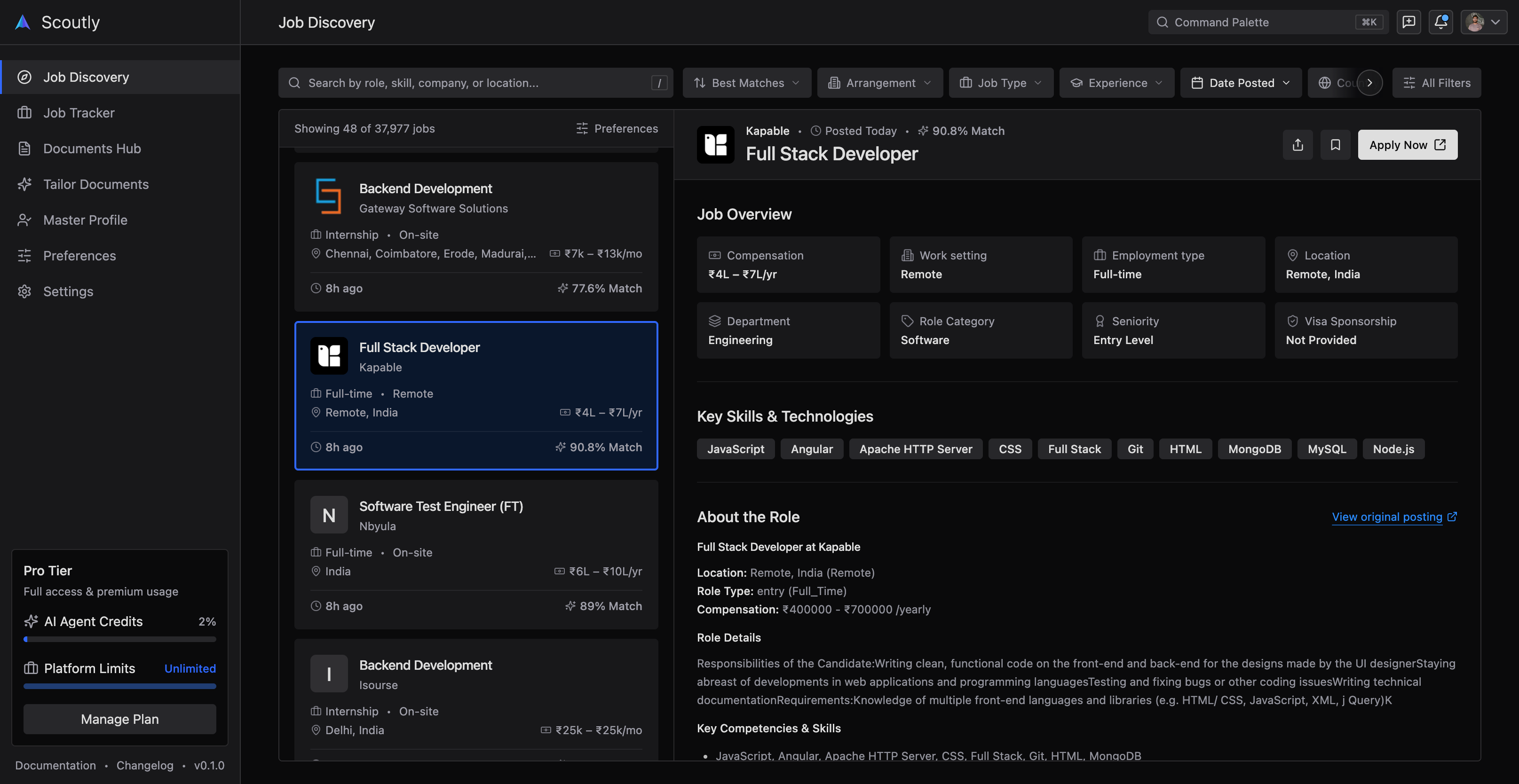
1. Jobs Feed & Discovery#
Aggregated tech listings verified from employer career pages. Shows real-time match percentages calculated directly against your master profile.
2. Master Profile Vault#
A modular manager for your verified experience, projects, skills taxonomy, and credentials. Edit once; all future resumes automatically reflect updates.
3. Application Tracker (Kanban)#
Track every submission through Wishlist, Applied, Screening, Interview, and Offer stages with automatic email notification sync.
Configuring Search Preferences#
Under Settings > Preferences, you can fine-tune how the AI tailor copilot drafts content:
- Resume Tone: Select between Executive, Technical, or Impact-Focused.
- Target Bullet Length: Constrain generated bullets to 1-2 lines for optimal recruiter readability.
- Salary Expectations: Define minimum base salary and equity ranges to filter out mismatched opportunities automatically.
Next Steps#
Now that your workspace is initialized, jump into the Quick Start Guide to tailor your first resume against a real job description.