Master Profile System
The canonical, single source of truth for your career history. Store work experience, quantified achievements, technical competencies, and custom sections.
What is the Master Profile?#
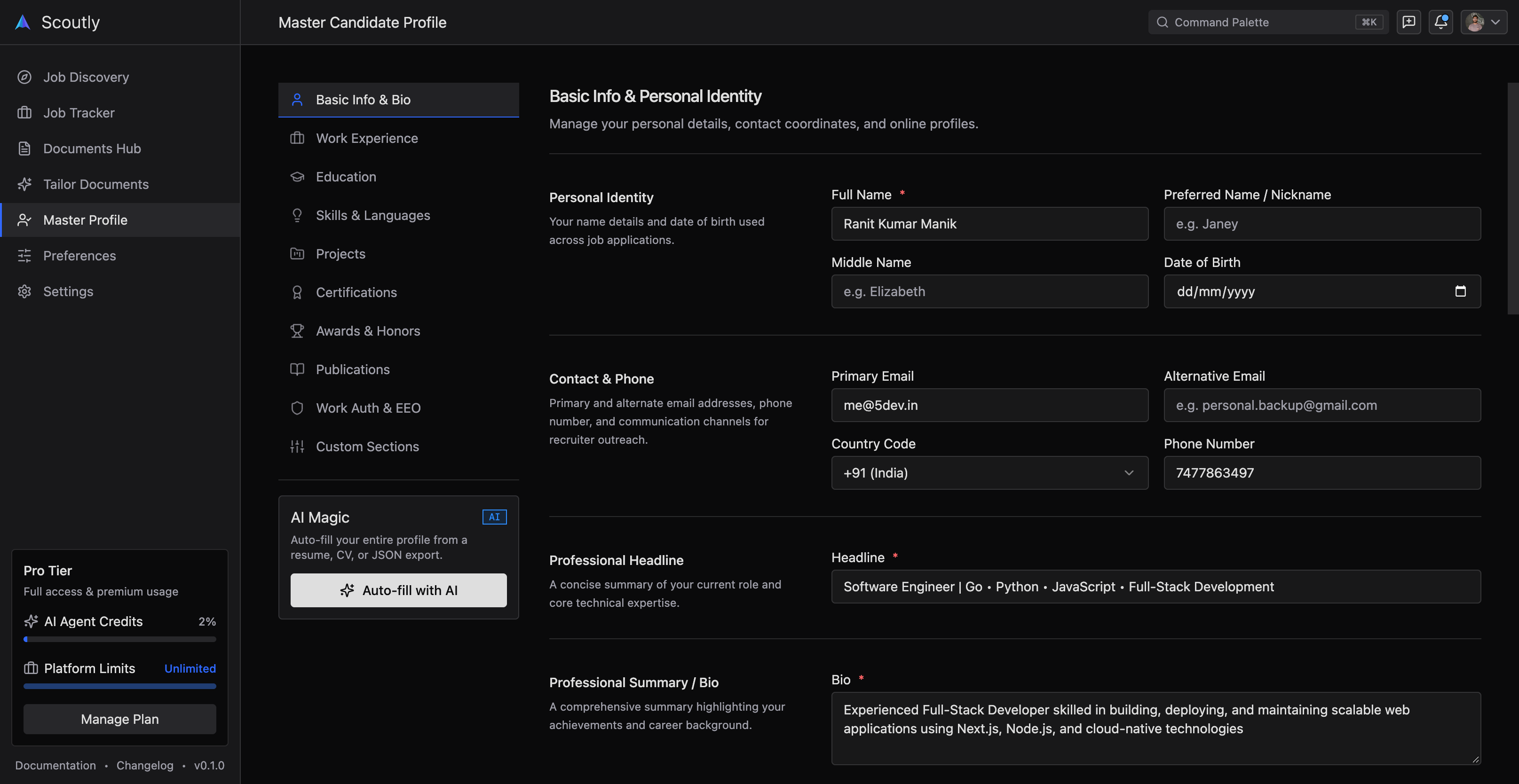
The Master Profile is the central vault of your entire career in Scoutly. Instead of having fifteen different resume files scattered across Google Drive or your desktop, you maintain a single, comprehensive record of everything you have ever achieved: every role, promotion, side project, certification, publication, and patent.
When you tailor a resume for an opening, Scoutly's AI doesn't generate content out of thin air. Instead, it extracts the exact relevant experiences, skills, and metrics from your Master Profile and formats them into an ATS-compliant Typst vector document.
Structure of the Career Vault#
The Master Profile is organized into specialized, validated data sections designed to align directly with modern Applicant Tracking Systems:
1. Identity & Contact Details#
- Full legal name, professional headline, and location.
- Verified email, phone number (E.164 international standard), and portfolio links.
- Social profiles: LinkedIn, GitHub, X (Twitter), and personal website.
2. Work Experience & Google XYZ Bullets#
Every position contains company metadata, employment dates, location, and individual achievement bullets.
3. Technical Skills Taxonomy#
Skills in Scoutly are categorized rather than dumped into an unstructured comma-separated list:
- Languages: TypeScript, Go, Python, Rust, SQL.
- Frameworks & Libraries: Next.js, React, Node.js, FastAPI, Gin.
- Cloud & DevOps: AWS, GCP, Docker, Kubernetes, Terraform, CI/CD.
- Databases & Storage: PostgreSQL, Redis, ClickHouse, DynamoDB.
4. Education, Certifications & Honors#
- Degrees, majors, institutions, and graduation dates.
- Professional credentials with credential IDs and expiration tracking (AWS Solutions Architect, CKA, etc.).
- Hackathon wins, research papers, patents, and conference talks.
Profile Health & Completion Score#
Scoutly continuously analyzes your Master Profile across 12 quality parameters:
- Quantification density: Percentage of bullet points that include measurable numbers, percentages, or dollar impacts.
- Action verb diversity: Detection of repetitive verbs (e.g. "Responsible for", "Helped with").
- ATS completeness: Ensuring phone numbers, country codes, and standardized job titles are present.
- Recency audit: Flags when your latest role has no achievements logged within the last 6 months.
Exporting & Data Ownership#
You own 100% of your career data. At any time from Settings → Account, you can export your entire Master Profile as:
- Standard JSON schema (for machine portability or backup).
- Typst source file.
- Clean Markdown for your personal documentation.